

Very often when you see an in-text citation—just an author (or two) and a year—you know exactly what paper it’s referring to. You might imagine that if only you maintained a database of papers in your field using Zotero, or something similar, you could insert the reference with a click or two. Now you can. Your paper and a web browser are all you need.
Drag and drop a paper with in-text citations into RefRunner and it will automatically put your in-text citations into a search bar, one at a time. About half the time in the papers I’ve checked, the paper you want is at the top of the list, and with one click, it’s added to your reference list, perfectly formatted, and the next one is inserted into the search bar. Sometimes you need to type a word or two from the title, but if your paper has a DOI, or is in a bunch of other public databases, that’s all it takes.
That sounds too good to be true. How can that be?
Usually, it’s the case that Smith and Jones wrote only one or two articles together in 2022, or that in 2017, only one person named Williams wrote an article with “Bees” in the title. (I made up the “Williams” reference since I’d already used “Smith” and “Jones.” I now know that Neal M. Williams is an entomologist, with almost 200 articles, most of which are about bees; it looks like he had 5 bee papers in 2017 alone!) When I first discovered the implications of this, I was astounded. For several days, I literally said, repeatedly, “It’s just astounding!”
Give RefRunner your paper and it immediately builds a list of your in-text citations. It happens all in your browser. Your paper never leaves your computer. Then it’ll search databases—crossref, which has (almost) everything with a DOI, OpenAlex, which claims “Inspired by the Library of Alexandria, we catalog 474 million scholarly works.” For books, there is Open Library and Google Books, neither of which is as complete a collection as you might hope.
I grabbed a random preprint by a couple of people I know and used their reference list as a test after I’d fixed up the ones missing DOIs and such. Here’s what happened giving RefRunner just the in-text citations.
Some names do the work on their own
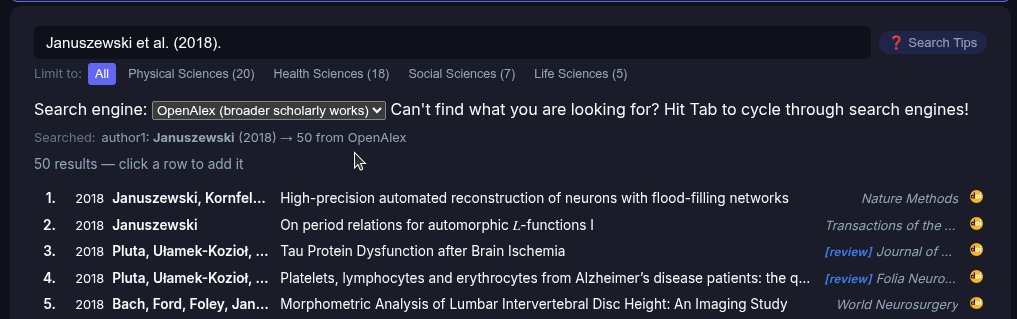
An unusual last name makes it easy. Searching “Januszewski et al. (2018)” returns 50 results (the limit that the query will return), but the Nature Methods paper on neuron reconstruction is right at the top. Here’s another easy one. Take a look:
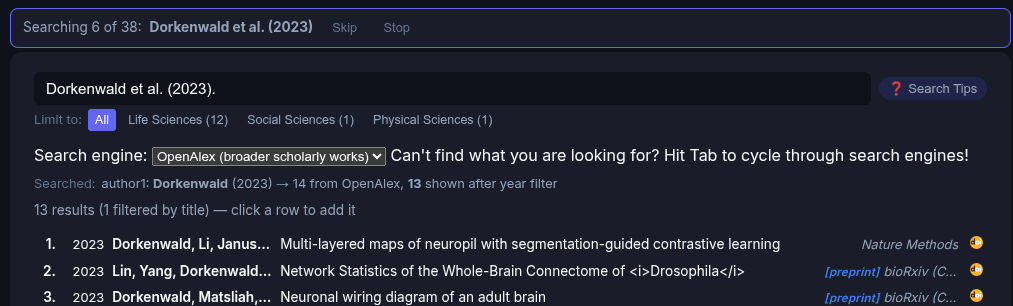
Dorkenwald for the win! That search yields a short list. “Multi-layered maps…” is the one.
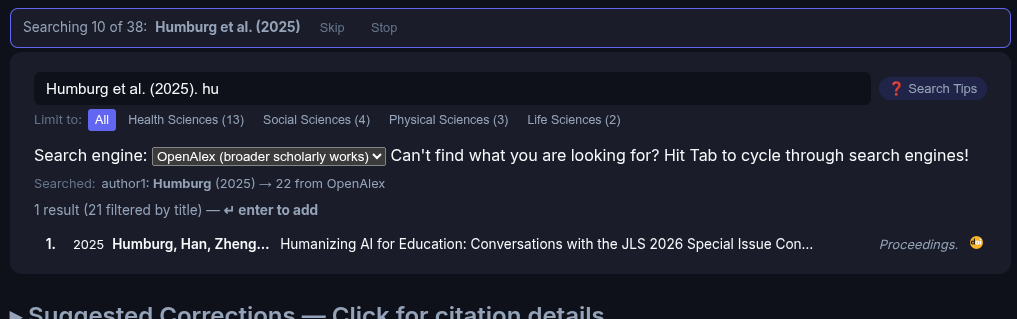
Filtering the first list
The live search filters the 50 items as you type. Here, typing just “hu” from “humanizing” filters the list, leaving us with just what we’re looking for with two keystrokes.
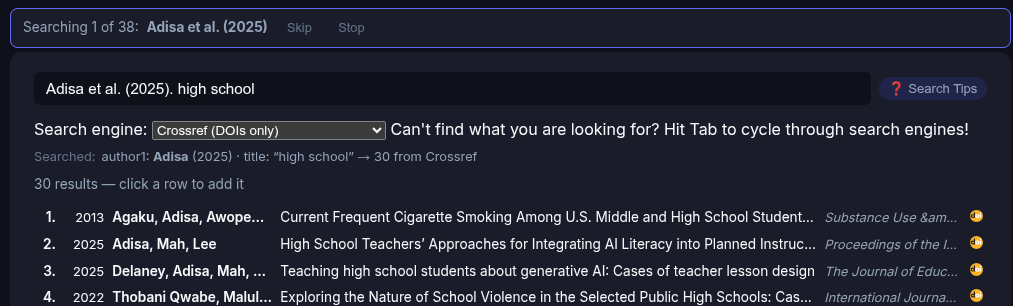
Sometimes the first batch isn’t enough
The live search filters as you type, but when you hit the space bar at the end of a word, it pulls in another 50 matches. Here “high school” quickly finds the paper we’re looking for.
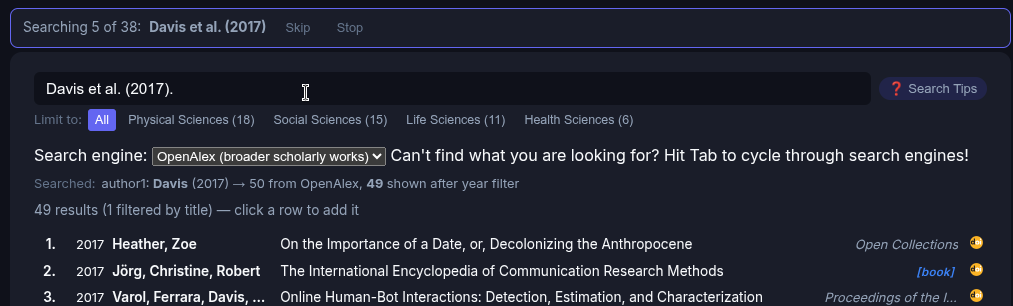
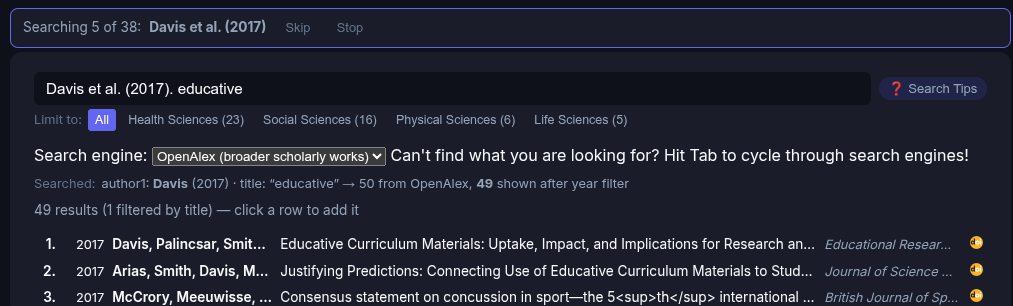
A common last name like Davis returns 49 results (not hitting our 50 result limit) with no obvious winner.
But look, adding a single word from the title finds just what we’re looking for, and hitting return adds it to our reference list and starts the search for the next one.
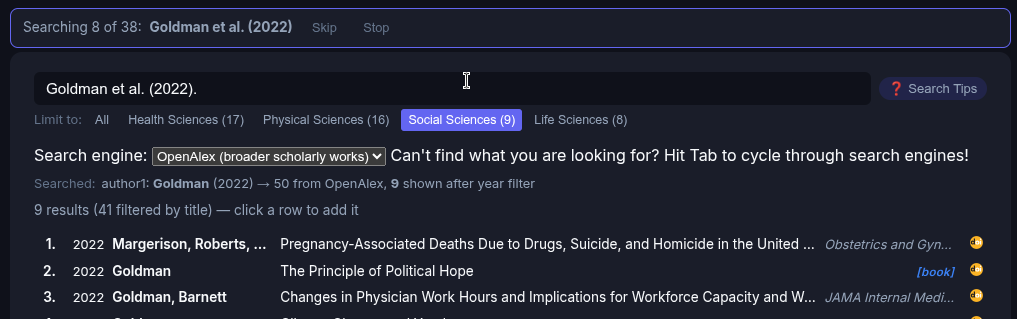
Goldman has the same problem. Searching just the name and year returns a list of unrelated papers.
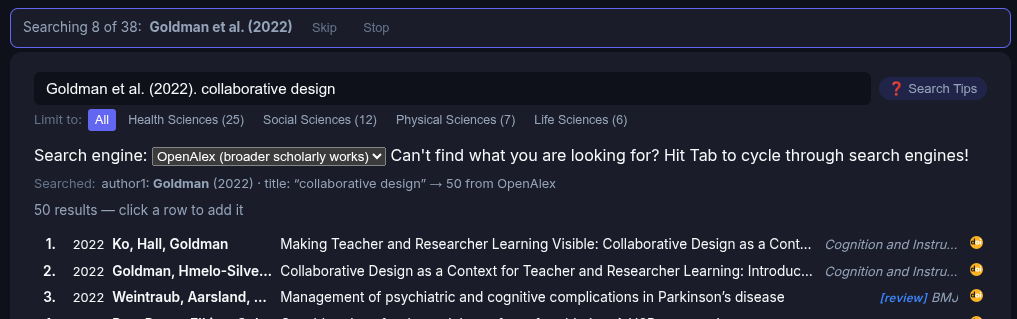
Adding “collaborative design” finds it immediately.
Another shortcut: filter by discipline
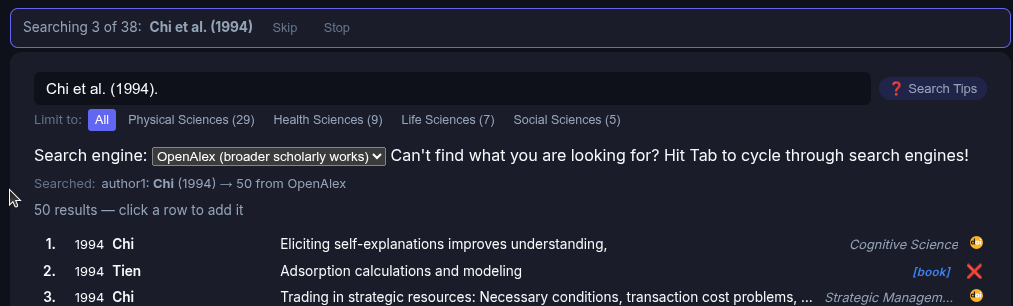
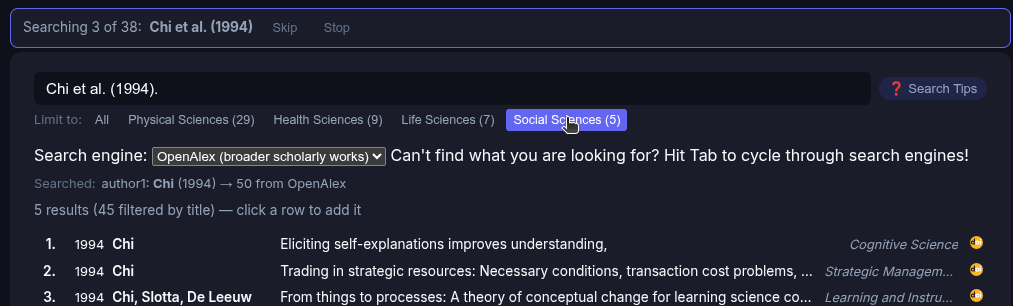
Chi is a common name, and the first 50 selected for “Chi et al. (1994)” search doesn’t show what we’re looking for. Another tool for filtering is by domain. Click “social sciences” and WHAM! We’re limited to 5 papers, and our target is easy to find. This trick doesn’t always work, as the way OpenAlex assigns a domain may not be as accurate as we might like, but it’s easy to click between domains and back to the global search.
Multiple Search Engines
As described above, RefRunner currently searches 4 databases. There is a pull-down that lets you select one, but hitting tab will cycle through them. For things that aren’t books, OpenAlex and Crossref are your best bet. I’ve switched back and forth between making the default be OpenAlex and Crossref; right now, OpenAlex is in the lead, but trying both is often worth a few keystrokes. Crossref has only DOI data, and sometimes, less is more.
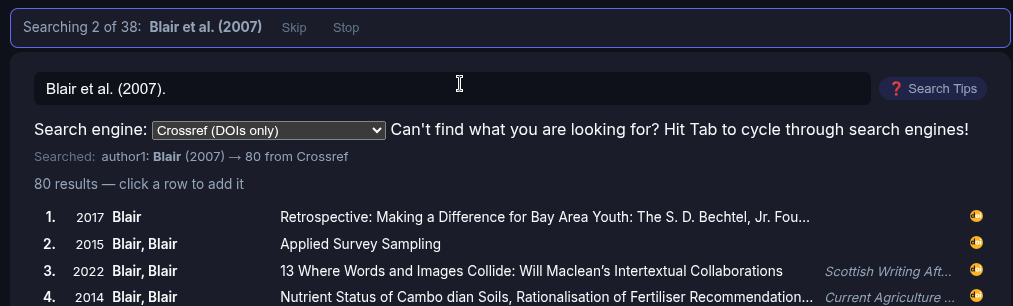
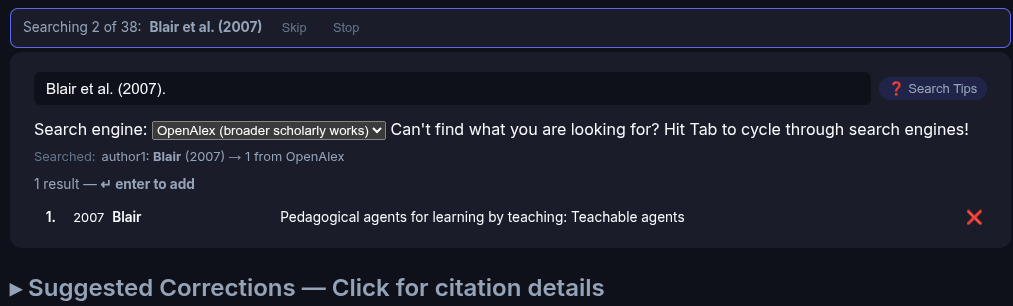
Here’s a case where OpenAlex is the clear winner and why it’s the default. For “Blair et al. (2007).” Crossref gives us no obvious match because the API won’t let us filter by year. (EDIT: It turns out that’s not true, and in my next post I’ll describe some marked improvements over what’s described here!)
OpenAlex returns exactly one result: “Pedagogical agents for learning by teaching: Teachable agents.”
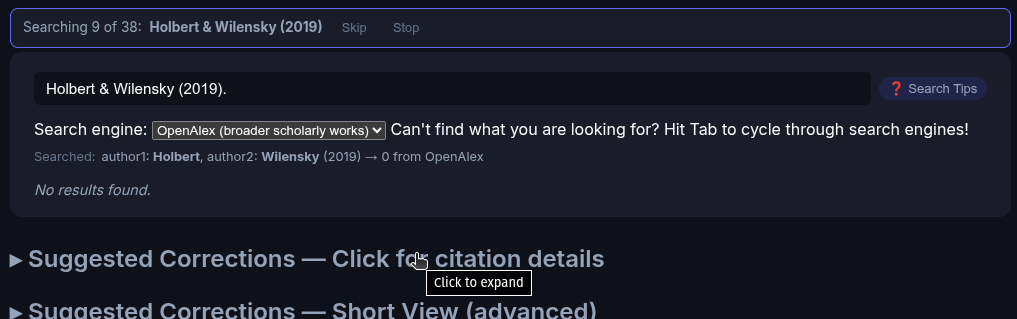
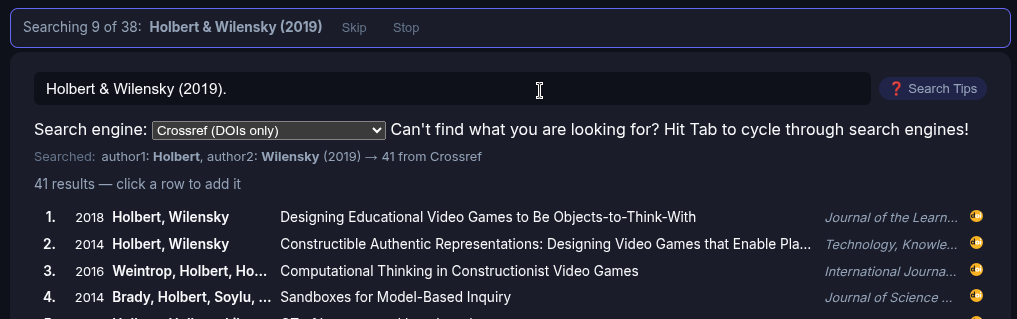
For “Holbert & Wilensky (2019)”, though we get the opposite problem — OpenAlex finds nothing.
Crossref returns 41, with the right papers clearly visible.
I’m not quite sure why that is, but knowing the answer won’t help much since there are so many variables.
Too much of a good thing?
Edelson et al. (1999) is a case where the article—or something like it—exists in more than one place. RefRunner finds several versions: a preprint without a DOI (marked with an X), and two that appear to be the correct journal article.
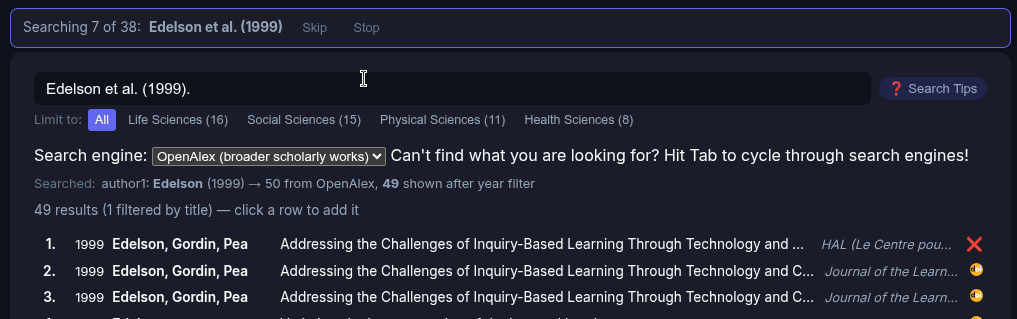
The X on the first result means it has no DOI, so that leaves us the next two, both of which appear to be from the target journal. Clicking the DOI icon at the right opens the DOI in a new window, so we can tell for sure. One of them is (somehow?) a bogus DOI. The other is, in fact, what we’re looking for.
Try it yourself
Being able to find and format 30 citations in half an hour seems too good to be true, but it’s really that simple. No database. No AI. Nothing to install. Just drag and drop your paper and click on the first missing reference.
Head over to RefRunner. Click to see it work with a sample document that demonstrates the features, or try it with your own. Create an account to enable searching more than 10 references. Use this link to get a free month of full access.